
The short version
Shades of SG is a music video creation studio. A creator brings a song, the app transcribes its lyrics and proposes visual scenes, and a generation pipeline assembles those scenes into a video. A compact browser-based editor then lets the creator change individual frames, correct lyrics, preview the result, and export it. Shades Assistant adds a conversational way to critique a scene or request an edit.
The platform serves a general music audience: the song’s lyrics, mood, and creative direction guide the visuals. Alongside the finished video, creators can publish song context, quizzes, and interactive instrument content for listeners to explore.
Within the team, I built the media generation pipeline and the editing and playback experience, including the scene-review interface, timeline editor, and AI assistant integration. Authentication, discovery, dashboards outside the generation workflow, and other platform modules were teammates’ work.
The engineering challenge was making generation editable. A creator should be able to change one scene without starting the entire song again, and keep lyrics aligned with the audio throughout the process.
Start a song and follow its progress
The Generation Studio dashboard brings new-song intake and generation jobs into one place. Creators can supply a YouTube URL or upload an MP3/WAV file, enter the title and artist, and start a job. The backend creates the song record, prepares the audio, and dispatches it to the generation pipeline.
Job cards show the track, artist, and current status. Counts and filter tabs help creators find work that is processing, completed, or failed. While jobs are queued or processing, the dashboard refreshes their status every three seconds. A creator can open the progress view, continue into the editor when a video is ready, or delete a job through a confirmation dialog.
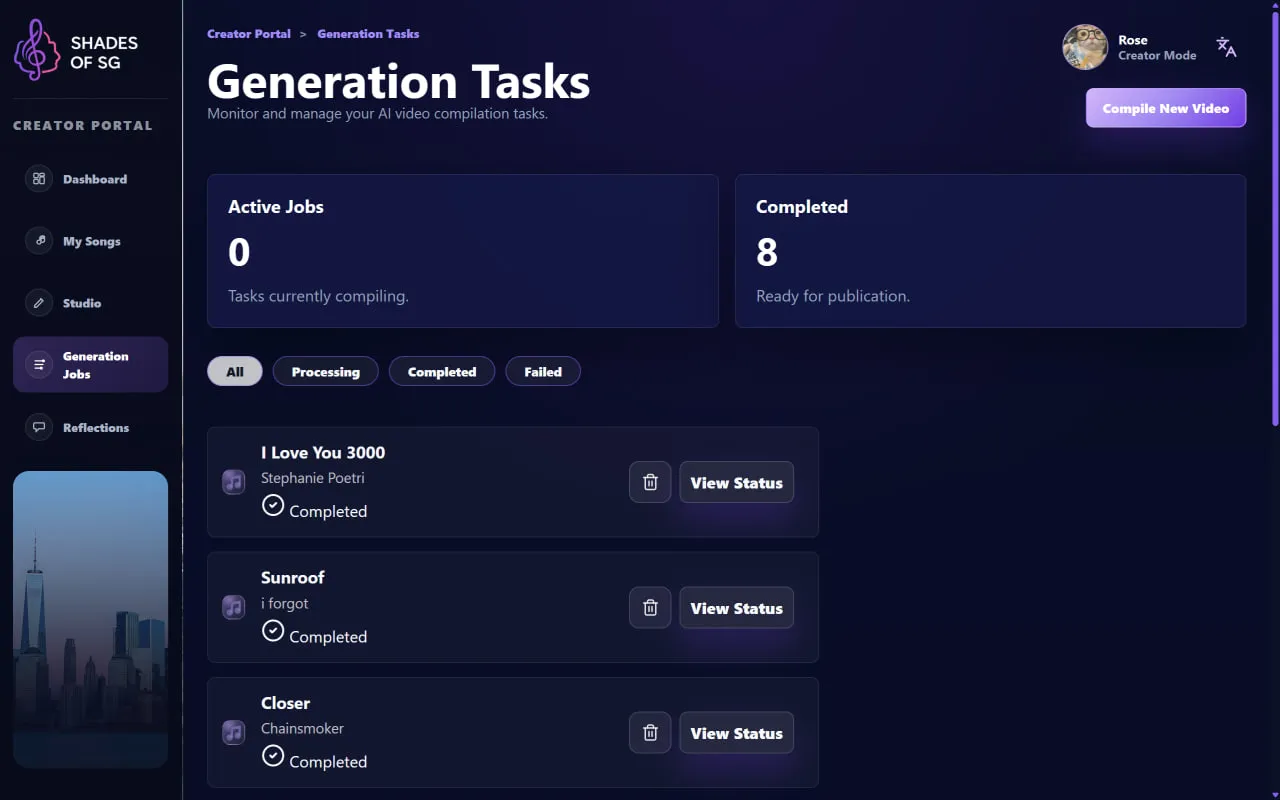
A central view for starting a song and finding its generation job. This captured session shows completed tracks ready for the next step.
View full-size screenshotThe React frontend talks to a Node.js/Express backend. PostgreSQL retains job state and scene metadata, Cloudinary stores the media, and FFmpeg assembles the final video. The automated pipeline has five phases: audio transcription, scene planning, image generation, video assembly, and song-content curation. Scene planning deliberately pauses for creator review before image generation begins.
song → scenes → video → final edit- 01TranscribeAudio becomes timestamped lyrics
- 02Plan & reviewThe creator shapes each scene
- 03GenerateImages and audio become a video
- 04Edit & publishRefine frames, lyrics, and context
Review the story before rendering
At the AWAITING_REVIEW stage, the scene editor presents the proposed visual prompts and timestamped lyric blocks. Creators can rewrite a prompt, request a new concept, correct a misheard lyric, add or remove scenes, and drag lyric blocks between them. Confirming the plan resumes image generation and video assembly.
Each lyric pill retains its original audio timestamps. Moving it changes which scene it belongs to; the scene’s start and end times are recalculated from its earliest and latest blocks. That lets a creator reorganize the story without manually rebuilding subtitle timing.
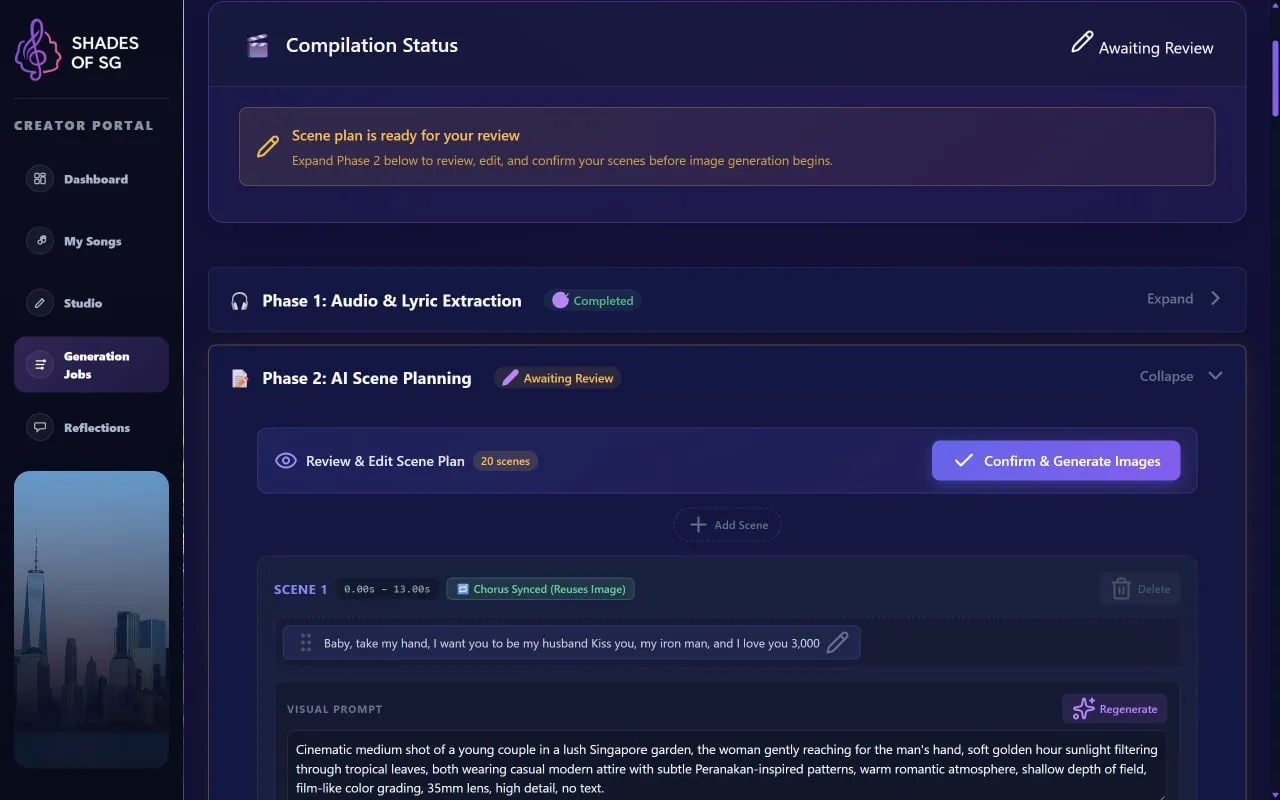
Creators review the scene plan, reorganize timestamped lyric blocks, and refine visual prompts before confirming image generation.
View full-size screenshotI stored those blocks in PostgreSQL JSONB so the review screen, editor, and player could share the same timing data. The confirmation path also fills in missing visual prompts, handling the case where a creator adds a scene but has not written its description yet.
Repeated choruses introduce another useful connection. Matching lyric groups can share a visual prompt and reuse generated image assets, avoiding duplicate generation. Creators can propagate a revised visual motif across the chorus scenes when they want those repetitions to stay consistent.
A video editor in the browser
Once generation completes, the timeline editor puts a 16:9 preview, scene-thumbnail filmstrip, and WaveSurfer.js audio waveform together. Creators can play, pause, seek, and move between scenes while seeing how the visuals line up with the song.
Selecting a frame opens its editing controls. A creator can change its visual prompt and regenerate that scene’s image, or upload a custom image. Lyric corrections and caption controls sit alongside the scene edits. On export, the app assembles the revised video with FFmpeg and lets the creator choose whether captions are burned into the MP4.
The scene data and player have separate responsibilities. I kept edits in React state and updated the affected frames and lyric blocks without recreating the waveform player. Editing the timeline stays distinct from compiling the final video, which requires a backend media-processing step.
Shades Assistant: advice that becomes an edit
Shades Assistant lives inside the editor, available through its button or the Shift + A shortcut. It receives the song’s title, artist, theme, lyrics, active scene, and surrounding scene prompts and timestamps, so a request can refer to the video being edited.
It supports four kinds of interaction:
- Creative feedback: critique an opening frame or explain whether a scene fits the song’s mood.
- Visual edits: turn a request such as “Make Scene 3 a rainy night with softer lighting” into a revised prompt.
- Lyric corrections: fix transcription errors in a scene’s text.
- Chorus propagation: carry a visual style or motif across repeated chorus scenes.
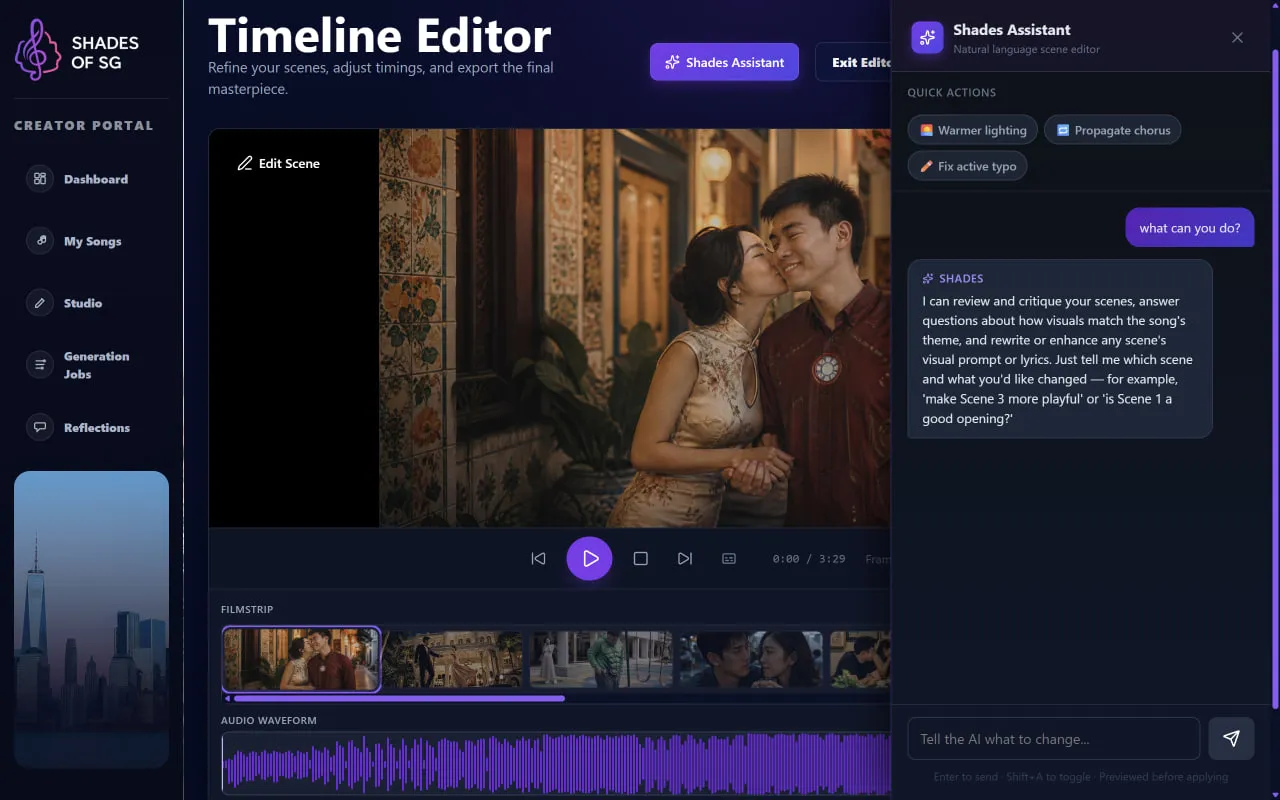
The video preview, scene frames, and waveform share a workspace with the assistant. Creators can ask for feedback or propose an edit while working on the timeline.
View full-size screenshotAdvice appears as a chat response. An editing request produces an actionable patch card that the creator can review and apply with Apply Changes. The assistant proposes the edit; the creator decides when it enters the timeline.
I connected the assistant’s structured actions to the existing scene-editing API. Applied patches update the affected frames and caption state, keeping the editor’s playback position intact. This makes the assistant part of the editing workflow rather than a separate chat box whose output has to be copied manually.
Publish more than a video
The curation screen gives creators a final place to review the song’s supporting content. They can edit or regenerate a short article, revise quiz questions and answer choices, and choose instruments from a catalog with audio previews. These features add context and interaction around the music without restricting the studio to a particular genre or audience.
The public song page brings the finished video and synchronized lyrics together with the track details and song article. Instrument cards play audio samples or synthesized notes, while the quiz offers immediate answer feedback and a completion score.
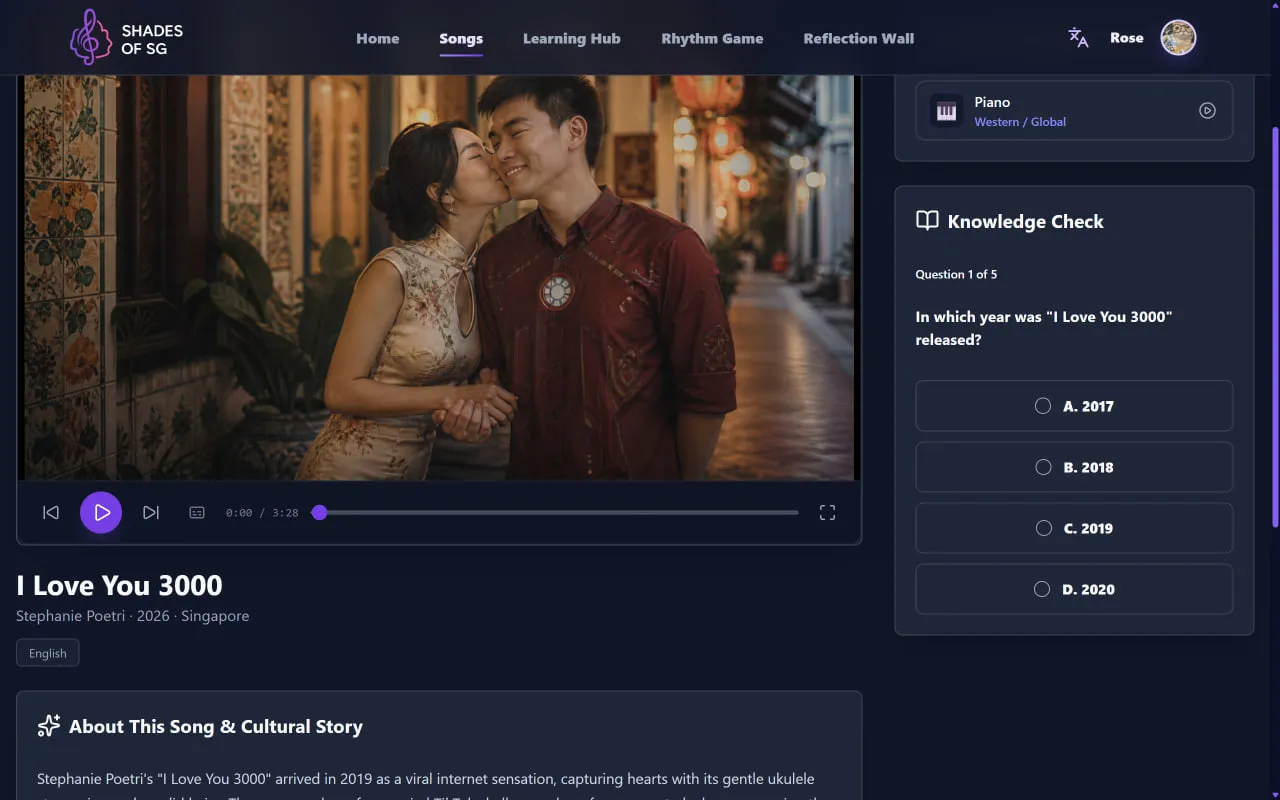
The finished video sits alongside song context and interactive content. This example uses a contemporary pop track.
View full-size screenshotFor captions, the player uses the timestamped lyric blocks to choose the active line. A half-open interval, start <= time < end, avoids displaying two adjacent blocks at the same boundary. The same timing model therefore carries through planning, editing, export, and playback.
Engineering decisions and next steps
Pause before spending generation work. Making review an explicit job state gives creators a chance to fix scene grouping and prompts before requesting images. It also means the backend must handle a job that waits for human input and later resumes.
Reuse images while keeping creative control. A normalized lyric cache key lets repeated choruses reference an existing asset. Repeated words can still deserve different imagery, so propagation needs to remain an understandable editing choice.
Keep assistant edits inspectable. Structured actions and an explicit apply step make changes easier to follow. An undo history and clearer recovery when a multi-scene edit only partly succeeds would strengthen this workflow further.
The shared scene model is the core of the project: it connects AI generation, human review, a working video editor, and the published experience through one set of scenes and lyric timestamps.